Construct Pro · Early access open
Every job, every day, in one place.
From the first lead to the final claim: progress, cost, schedule, safety, claims, RFIs and payroll data in one place, instead of a dozen spreadsheets and apps.
| Activity | Unit | % | Earned hrs | Actual hrs | PF |
|---|---|---|---|---|---|
| Excavation | m3 | 55% | 660 | 710 | 0.93 |
| Rebar & formwork | tonne | 55% | 1,430 | 1,537 | 0.93 |
| Concrete pour | m3 | 55% | 990 | 1,064 | 0.93 |
Sample job. Day one matches our real Progress screen; later days come from one small model that keeps the job behind, at the performance factor on screen. Labour at a blended $58.00 an hour. Earned hours are quantity complete times budgeted unit hours; PF is earned divided by actual. Software in development.
What It RunsConstruct Pro
Everything your operation runs on.
- Field Operations
- Sites & jobs · Daily & field reports · Progress / earned value · Equipment · Punch lists
- Time & Payroll
- Timesheets · LEM (labour, equipment, material) · Employees · Certifications · Onboarding
- Project Controls
- Change orders · RFIs · Submittals · Documents · E-signatures · Procurement · Cost codes · Custom fields · Milestones
- Financials & Analytics
- Budgets & EAC · Progress claims · Financials / WIP · Cash-flow forecast · Analytics · Approvals
- Safety & Quality
- FLHA · Incident reporting · Toolbox talks · Subcontractor management
- Business Development
- Leads CRM pipeline · Request-a-quote intake · Win/loss tracking
On ScreenConstruct Pro
Real screens, not mockups.
Three screens from Construct Pro as it is today, cropped to the part a coordinator reads.
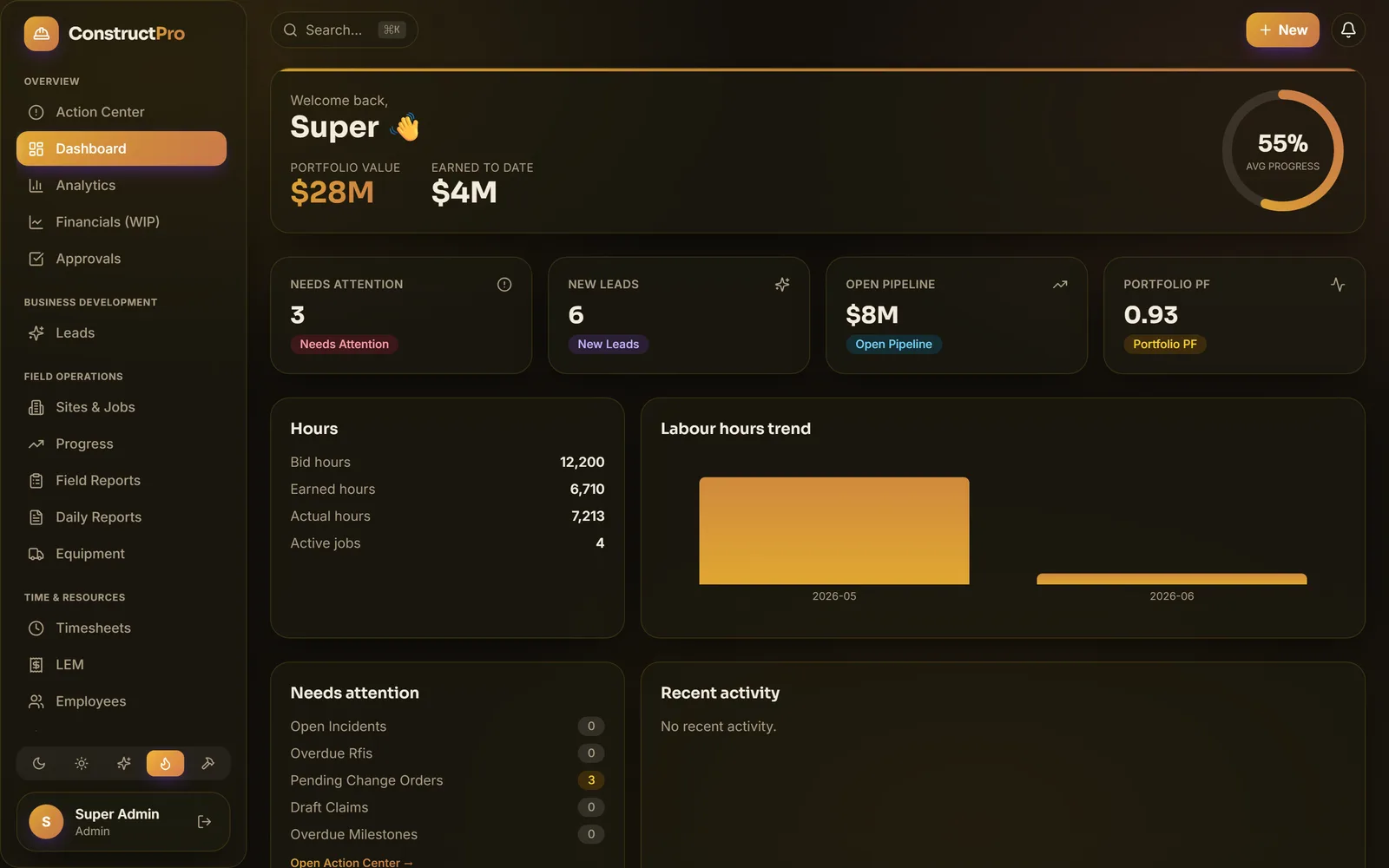
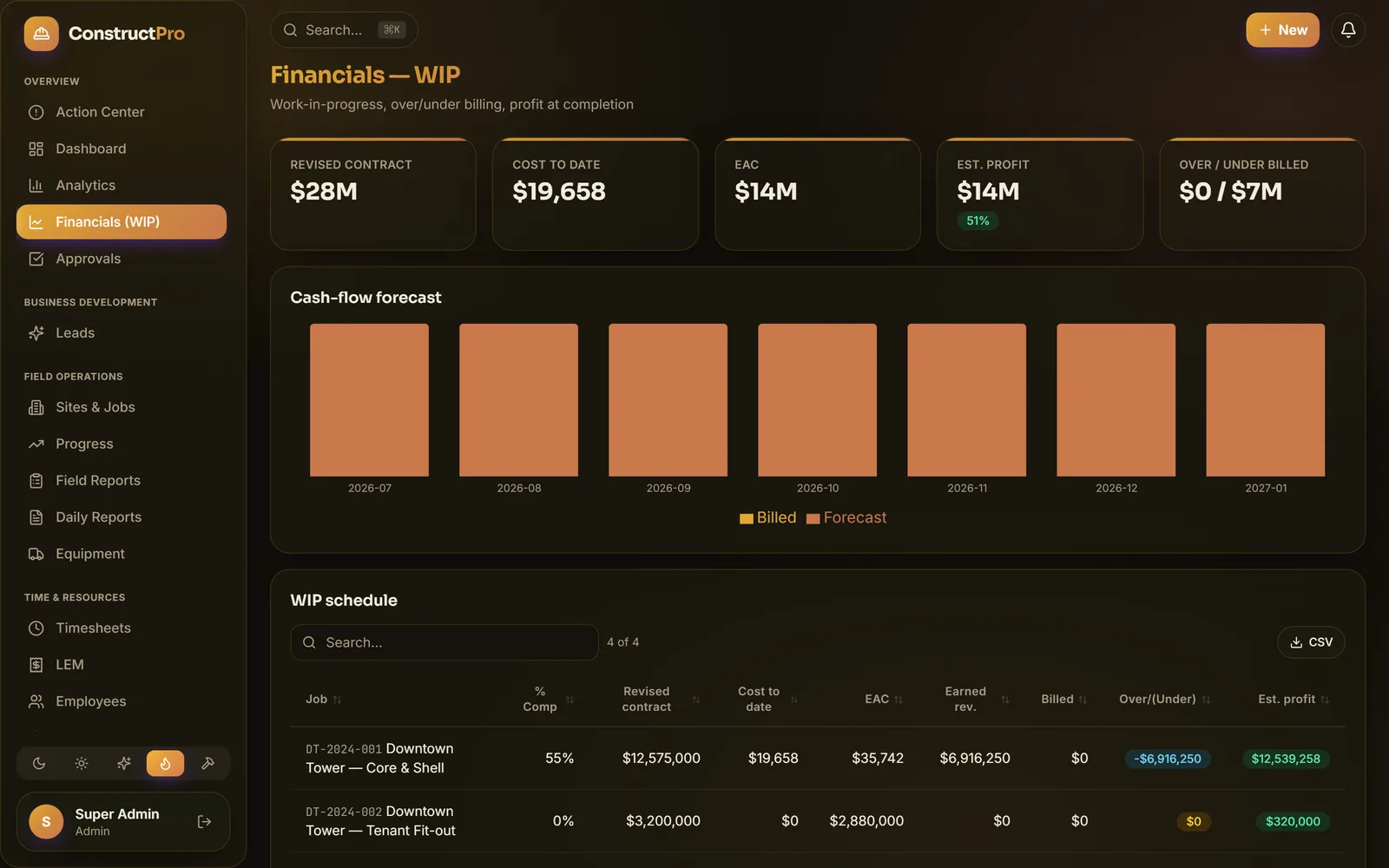
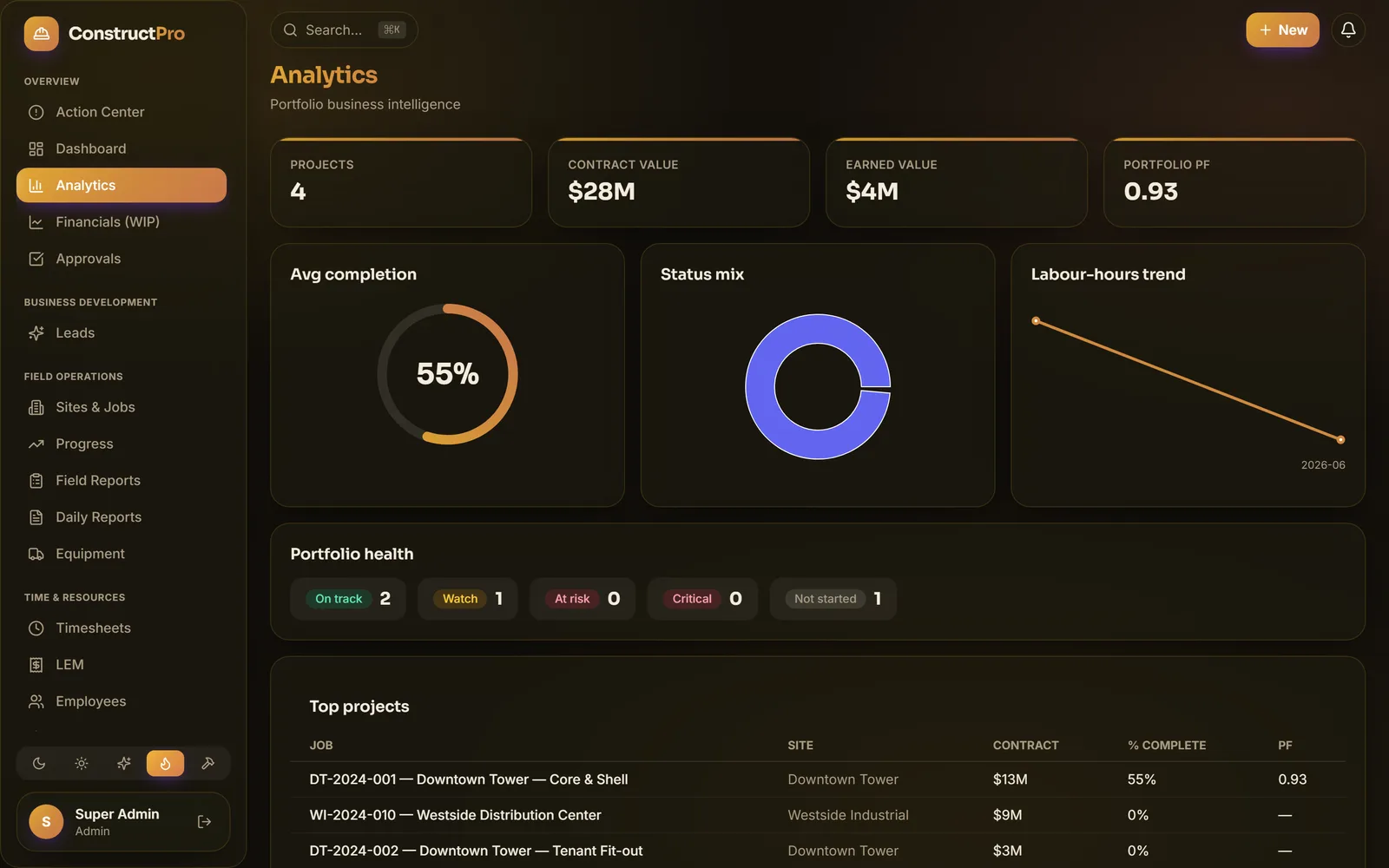
Sample data. Screens shown are from software in development and may change.
Security By DesignBoth Products
Security is a launch requirement, not a later project.
You will be putting payroll, costs and client data in here, so security is a launch requirement rather than a later project. These are the commitments we are building to. Ask us to walk you through the architecture and where each one stands.
| Requirement | What it means | Status |
|---|---|---|
| Encryption by design | Sensitive personal, bank and payroll fields are designed to be encrypted at rest and kept out of logs. | Designed in; in development |
| Audit trail by design | Built so every change is recorded (who, what and when) for clean books and dispute resolution. | Designed in; in development |
| Secure sign-in by design | Designed for multi-factor sign-in and short-lived sessions, so a stolen password isn't enough. | Designed in; in development |
| Separation by design | Built so each company's data is isolated, with role-based access, so people see only what they should. | Designed in; in development |
| Accounting sync | Built to sync with QuickBooks, Sage and Xero, read-only and one-way from Construct Pro. | Designed in; in development |
Accounting integrations are in development. QuickBooks, Sage and Xero are trademarks of their respective owners; Truwright is not affiliated with or endorsed by any of them.
Getting StartedConstruct Pro
From setup to payroll data in three steps.
Add your jobs
Set up sites, jobs and crews in minutes. Invite your team with the right role-based access.
Track crews and progress
Field reports, timesheets and progress flow in from the jobsite as work happens.
Run reports and payroll data
See cost against budget, export what you need, and hand payroll the same hours the field approved.
What's NextConstruct Pro
Built fast, and getting better.
Construct Pro ships constantly, and founding companies help decide what comes next. This is what is on the bench.
| Item | What it is | Status |
|---|---|---|
| Advanced financials & cash-flow | Deeper WIP, profit-fade tracking and a rolling cash-flow forecast across every project. | In development |
| Client portal & e-signatures | Give owners and clients a branded portal to review progress and sign approvals online. | Coming soon |
| Open API & accounting sync | Integrations with QuickBooks, Sage and Xero, built so cost and payroll data flow without re-keying. | Coming soon |
| Offline-first mobile field app | Capture reports, photos and timesheets on-site with no signal. Syncs the moment you're back. | Coming soon |
Early AccessFounding Companies
Be a founding Construct Pro company.
Get early access, help shape the product, and lock in founding-customer pricing. Prefer to see it first? Book a 20-minute demo.